Call
Call Text
Text
Can You Build a Website With AI? Yes… and NO
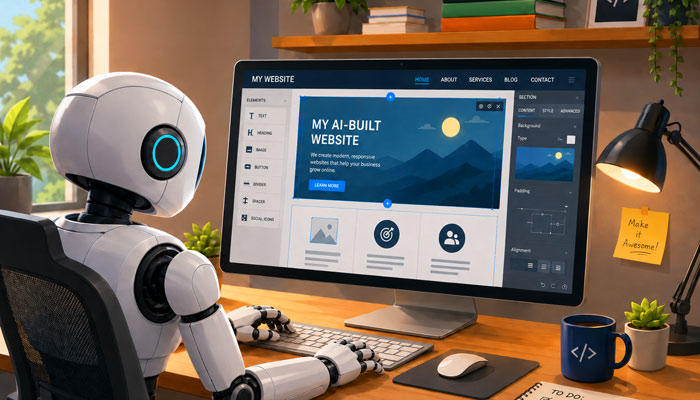
Business owners can use AI to build a website, but this article explains why AI alone can lead to poor SEO (search engine optimization), incorrect code, slow pages, weak structure, and higher costs in the long run.
The Appeal of Building a Website With AI
Many small business owners ask a fair question: "Can I build a website using AI instead of paying a web designer?" The appeal is clear. AI tools can write text, suggest layouts, produce code, and help someone put a page together within minutes. For a business watching its budget, that can sound like a simple way to save money.
The problem is that a website has to do a job. It has to load fast, make sense to visitors, work on phones, support search ranking, and give Google a clear path through the content. A website that looks nice at first glance can still have weak code that doesn't conform to search engine standards (even if it's built with Google's AI!), poor page structure, thin SEO, bad headings, missing details, or scripts that make the page harder to read and even more difficult for Google to crawl.
AI Is Not a Shortcut Around Website Planning
Some people assume AI can build a complete business website from a few short commands. That's usually where the plan breaks down. A good website still needs planning before any code or content is made.
You need to know what pages are needed, which services should have their own pages, what customers are searching for, how the pages should link together, and other planning that requires human decisions. The site also needs a clear structure so visitors and search engines can follow it without confusion.
AI can't make those decisions on its own. It needs direction. A short prompt such as "build me a website for my plumbing company" will produce broad, surface-level, generic content. A stronger prompt needs details about the business, service area, audience, goals, page types, SEO targets, style, layout needs, coding limits, and much, much more.
That means the person using AI still needs some understanding of websites. They need to know terms like HTML, CSS, JavaScript, metadata, headings, internal links, schema, page speed, crawlability, accessibility, and others. They don't need to be a developer, but they do need enough knowledge to guide the AI tool.
AI Prompt Engineering Is Important
AI-built websites can look great when the prompts are detailed and the person giving the prompts knows what to request. That's called "prompt engineering". You have to know exactly what to ask for, what to reject, what to edit, and what technical details need to be checked by hand. Good prompts come from knowledge and experience. Without that knowledge, AI may produce something polished on the surface and weak underneath.
Even with the right prompts, however, AI still can't build an entire website that looks great and has a consistent layout and cohesive formatting among all the pages, is coded properly, ranks well in search engines, and works and displays the way it should. There are a lot of parts involved with building a website, and AI doesn't get all of it right.
A Website That Exists Is Not the Same as a Website That Performs
AI can help someone put web pages online. That doesn't mean the site is ready to rank well in Google or bring in steady leads. A working website and a useful business website are different goals.
A business website needs strong page titles, clear headings, useful content, readable text, correct image sizing, fast loading, proper search engine optimization, and clean navigation. It also needs to be tested on different screen sizes and browsers. If one of those pieces is weak, visitors may leave before they call or fill out a form.
Search ranking adds another layer. Google has to find the page ("discover"), crawl it, understand it, decide it's useful for the search being made, then index it in search results and figure out where it should rank. AI may produce content that sounds acceptable, but it may miss the required details, proper wording, internal links, or structured data that help a business page make sense in search.
A website built with AI is about as useful as a race car with a 3-cylinder engine; it might look good, but it won't perform well.
AI Creates One-Page Websites
One of the biggest problems with building a website with AI is that you'll get a site that "looks" like it has multiple pages, but actually doesn't. Clicking on the menu pages may indeed bring you to the "page" you're requesting, but you're actually being brought to a different section on that same page. AI creates one-page websites that "look" like multiple page sites, utilizing JavaScript to navigate to various sections within that one page by hiding and unhiding those sections. That's very bad for SEO for two reasons: 1. Content that's hidden doesn't get crawled by Google, and 2. One-page websites are not search-friendly.
Now, if you happen to want a one-page website and you don't need SEO, that may be acceptable. But if you're like most business owners, you want people to find your website when they search for your products or services, and a website needs a certain amount of pages and content for Google to even look at it. And if you think you can tell AI to create multiple pages, or each page individually, that often creates a new set of problems. Each page is not going to look exactly like the other pages, and will most likely be coded differently as well, no matter how many times you tell AI to make them the same.
Why Hand-Coded Websites Have a Stronger Foundation than Websites Built with AI
A hand-coded website gives a web designer direct control over the page. The code can be kept lean, organized, and easy to maintain (as long as it's truly hand-coded and not a template site like WordPress or Wix!) The HTML can be built so headings, paragraphs, links, images, and navigation are placed in a logical order. The CSS can handle the layout without relying on heavy scripts.
That kind of control is valuable for small business websites. Many local service sites don't need complex systems, huge script files, or page builders packed with features the business will never use. They need clear pages, fast loading, strong SEO, easy contact options, and code that can be edited without breaking the whole site.
Hand coding also makes troubleshooting easier. If a page has a layout issue, the cause is easier to find in clean HTML and CSS. If a title tag needs to be changed, it can be edited directly. If an image needs better sizing, the file and code can be checked without digging through a crowded platform.
There's another benefit: less waste. AI tools and site builders add extra code that's not needed. Extra code can slow pages down, make maintenance harder, make it more difficult for Google to crawl, and raise the chance of display problems on some devices and browsers. "Lean code" doesn't solve every SEO issue, but it gives the site a better base.
W3C Standards and Clean Code Still Help
W3C standards help guide how HTML, CSS, accessibility practices, and other web technologies should be written. These standards help browsers, devices, and search engines read web pages in a consistent way.
A website doesn't need perfect validation to rank in Google, but clean code that follows accepted standards supports many things that do help a site: crawlability, mobile layout, accessibility, speed, and readable page structure.
AI code doesn't follow those standards well. It may leave out proper heading order, misuse elements, repeat the same styles, add extra containers, or write code that works in one view but breaks in another. It may also mix HTML, CSS, and JavaScript in ways that make future edits harder. For a human visitor, those problems may not be obvious right away. The page may still load and look fine on one screen. But search engines, browsers, screen readers, and mobile devices are less forgiving.
A hand-coded site can be checked line by line. The structure can be kept simple. The code can be written so the important content appears in the HTML, the styling sits in CSS, and scripts are used sparingly and only where they add clear value. That approach keeps the site easier to read, easier to test, easier to improve, and most importantly, easier to rank in Google.
AI Doesn't Automatically Handle SEO Correctly
SEO (search engine optimization) is one of the biggest reasons a business should be careful with an AI-built website. AI can write title tags, headings, and page text, but that doesn't mean the choices are the best ones for search engines like Google.
Good SEO depends on intent. A page should match what people are searching for, use clear service terms, include local signals when needed, and organize information in a way Google can understand. The page title should be direct. The main heading should match the topic. Supporting headings should cover related questions without stuffing keywords into every line.
AI may miss these details because it doesn't know the business the way a person does. It doesn't know which services are most profitable, which towns are most important, which customer questions come up during phone calls, or which pages should be linked together. It may also produce wording that sounds smooth but says very little.
A good website also needs technical SEO basics. That can include proper title tags and meta descriptions, clean heading structure, descriptive image alt tags, internal links between related pages, local business details, schema where it makes sense, fast-loading pages, responsive and mobile-friendly layouts, and more.
AI can help draft some of this, but it shouldn't be trusted without review. Human input is needed to choose the right keywords, trim weak wording, avoid repetition, and make sure each page has a clear job.
JavaScript Can Make a Website Harder for Google to Process
AI code builders love using JavaScript for building websites. JavaScript isn't bad by itself, and many websites use it. But JavaScript should be used sparingly, and only when HTML and CSS can't be used for the same thing. JavaScript should be more of an add-on for, say, decorative items and interactive widgets. AI website builders, however, tend to use JavaScript FIRST, and for everything, including basic content, links, navigation, and even rendering of the page.
While Google "can" process JavaScript, it adds extra steps. A page with important content loaded by JavaScript may take longer to render. If the script fails, loads slowly, or blocks key content, Google can't read and crawl the page. Other search engines and tools may handle it even less reliably.
A simple HTML and CSS website is usually easier for Google to crawl. It's also easier for a human developer to inspect. The core content is visible in the source code, the layout is controlled with CSS, and scripts can be saved for tasks that might be unnecessary.
Page Speed and Mobile Testing Still Need Human Review
AI doesn't automatically know how a website will perform on real phones, slow connections, older browsers, or different screen sizes. A page can look fine in a preview and still have problems once it's live.
Common issues include large images (or worse yet, images that are created with html and aren't even true images), extra script files, layout shifts, crowded mobile menus, small tap targets, poor contrast, and text that's hard to read on narrow screens. These issues can hurt search performance and make the site difficult for people to navigate.
Google uses page performance signals as part of its broader ranking system. Even when speed isn't the only factor, a slow page can still cost a business leads. People leave when a site feels clumsy, slow, or difficult to use.
This is another reason hand-coded sites can be stronger. The designer can size images properly, reduce code, limit scripts, and test pages across devices. Problems can be fixed before the site goes live.
AI can give advice about page speed, but it can't replace real testing. The site still needs to be checked in various browsers, devices, and screen sizes. That takes time, experience, and skill, and it takes someone who knows what the warnings mean.
AI Websites Can Be Harder to Maintain
A website is rarely finished forever. Businesses change service wording, add pages, update photos, improve SEO, adjust calls to action, and fix issues that appear after launch.
If AI-generated code is messy, future edits become harder. A simple text change may be easy. A layout change may be another story. Extra containers, unclear class names, repeated styles, and hidden scripts can make the site harder to understand. Someone who is not a web designer and doesn't understand HTML and CSS coding won't be able to make those changes. And asking AI to make the changes to an existing page or website brings a host of new problems, leading to a frustrating pattern. The business owner asks AI to change one part of the site, then another part breaks. They ask for a fix, and the tool returns a new block of code that doesn't match the rest of the site. After several rounds, the code becomes patched together.
Hand-coded websites are easier to maintain when they're built with a clean system. The files are organized. The CSS has a clear purpose. The page structure is predictable. A future edit doesn't have to become a rebuild.
Maintenance also ties back to SEO. Search work is ongoing. Pages may need better headings, extra internal links, revised content, new schema, or new service pages. Clean code makes that work faster and safer.
AI Can Still Be Useful for Building a Website When It's Guided by a Human
AI can certainly help with planning a website. It can be useful for collecting ideas for content, outlining pages, suggesting topics, drafting rough wording, checking spelling and grammar, and even coming up with design and layout ideas. The key is control. AI should support the process, not run it. A person still needs to check the code, review the SEO, test the pages, and make final choices about the website. Unfortunately, with an AI-built site, this is quite cumbersome and ends up taking more time and effort than if the website were built correctly the first time.
A business owner who wants to use AI should treat it like an assistant. It can help with pieces of the project. It shouldn't be trusted to build the whole site without review. That's especially true for a business that depends on local search traffic, phone calls, and online leads.
The Hidden Long-Term Cost of a Website Built with AI
The biggest risk of an AI-built website isn't always the launch. It's what happens later.
A business may find that the site doesn't rank well. The pages may need better content, cleaner code, stronger headings, faster loading, and a better local SEO structure. Images may need resizing. The navigation may need to be rebuilt. The code may need to be cleaned up before further work can happen.
That's where the long-term cost can start. You may spend hours or even days trying to fix an AI-built site, then later pay someone to rebuild it. The cheap option then ends up being the slower and costlier path, especially due to the "lost opportunity" of potential customers that may have found your website if it had been set up properly. While you're fiddling around with AI, your competitors who have stronger websites will be the ones getting the calls.
A website built with AI can be useful for a personal project, a test idea, or a simple page with no major search goals. A business website is different. If the site is expected to bring in customers, the structure and code have to support that job from the start.
Paying for a clean, hand-coded website can feel like a bigger and costlier step upfront, but it can save significant time and money in the long run.
While you "can" build a website using only AI, it's not going to be search-friendly, and it may have display, formatting, and other issues. It may be tempting to just type a prompt into ChatGPT, Gemini, or Claude and have it spit out a nice-looking website for you – for free! But a "complete" website that functions properly on all major browsers and devices, AND most importantly, ranks well in search engines? AI is just not there yet.